

 Español
 한국어
 Русский
 हिन्दी
 Português
 Türkçe
 Tiếng Việt
 Italiano
 Français
 日本語

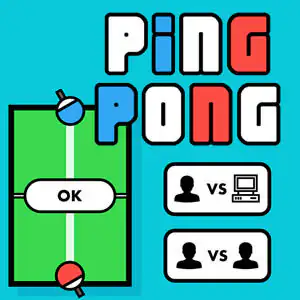
Ping Pong Online: Play Solo or Against a Friend
About Ping Pong Online
This online ping pong brings table tennis to your browser with a simple, straightforward setup: a table seen from above, two paddles and a ball that keeps going back and forth. You can play solo against the computer or play a match against a friend on the same device, with no online connection or sign-ups. If you’re looking for more same-screen showdowns, you’ll find many more in our 2 player games.
It's a ping pong game perfect for quick matches: you get it in seconds, but beating your opponent takes reflexes and good positioning. The mode against the computer is great for practicing on your own and getting the hang of moving the paddle, while the two-player mode turns any spare moment into a little tournament at home with siblings, friends or classmates. All with a clean, colorful design that doesn’t distract from what matters: the ball.
Video: Ping Pong Online: Play Solo or Against a Friend
How to play Ping Pong Online: Play Solo or Against a Friend: gameplay recorded on Ludorex.
How do you play Ping Pong in Ping Pong Online?
At the start you choose the game mode: player vs. computer or player vs. player. Then each player defends their side of the table by moving their paddle to return the ball to the other side. If the ball gets past you, the point goes to your opponent.
- Select the mode: 1 player or 2 players.
- Move your paddle to get in the path of the ball.
- Hit it back to the other side, aiming where your opponent can’t reach.
- Score more points than your opponent to win the match.
Ping Pong Online controls
PC
- Mouse: move the paddle and choose the game mode
Mobile and tablet
- Drag with your finger: move the paddle
- Tap: select the mode and the menu buttons
For 2-player mode, the most comfortable option is a tablet or touchscreen, where each player stands at one end of the table.
Tips for playing better: Ping Pong Online
- Go back to the center of your side after each shot: that way you cover any return better.
- Hitting the ball with the edge of the paddle usually changes its angle; use it to send it far from your opponent.
- Against the computer, go for sharp angles toward the sides, which is where it has the hardest time reaching.
- In 2-player mode, don’t chase the ball wildly: anticipate where it will bounce.
Ping Pong Online FAQ
Can you play online ping pong with 2 players?
Yes. Two-player mode lets you compete against a friend on the same computer, tablet or phone, with no need to connect to another device.
Does this ping pong game work on mobile?
Yes, it works in your phone and tablet browser with touch controls, as well as on computer with a mouse.
Do I have to sign up to play?
No. Just come in, choose a mode and start playing ping pong for free.
Additional information: Ping Pong Online
Game type: Sports / table tennis for 1 or 2 players
Technology: HTML5
Platform: Web browser (PC, tablet and mobile)
Enjoyed Ping Pong Online? Also try Soccer Skills Champions League, Boxing Random or Tap Tap Shots unblocked. Find more Sports Games and hundreds of free games online on LudoRex.
🏷 Agility, skill, and reflex games, Sports Games, Multiplayer Games, 2 Player Games
Last update:
Games like Ping Pong Online
View all › A Small World Cup
 Tap Tap Shots
 Soccer Skills Champions League
 Guess the Footballers
 Boxing Random
 Penalty Shooters 2: Soccer Penalty Shootouts
 Basket Random: Crazy Basketball for 1 or 2 Players
 Head Soccer: 1v1 Online Matches
 Soccer Random
 Penalty Challenge: Online Penalty World Cup
 Bike Race: Motorcycle Racing (Bike Racing)
 Basketball Stars: Online Basketball for 2 Players
 Tiny Fishing: Fishing Game with Upgrades
 Basketball Legends: 1-on-1 Basketball
 Monster Truck Soccer: football with giant trucks
 Foot Chinko: pinball-style bouncing soccer
 Copa Toon: Cartoon Soccer Game
 Wheelie Bike: pull a wheelie on your bike