

 Español
 한국어
 Русский
 हिन्दी
 Português
 Türkçe
 Tiếng Việt
 Italiano
 Français
 日本語


Teacher Simulator: mark exams and keep the class in line
About Teacher Simulator
Teacher Simulator is a simulation game where you take the role of a teacher. Your goal is to mark exams and make sure the kids are on their best behaviour in class.
You may have been the student, but now you are the one in charge: the game switches your place and lets you run the classroom from the teacher's point of view. It mixes marking tasks with paying attention to how the students behave, which keeps every round varied. It has a school setting, a style suitable for all audiences and no violence, and it is controlled only with clicks on a computer or taps on touch screens. It plays right in your browser with no download and no sign-up, and it is a fun way to spend a few minutes on the other side of the desk.
How to play Teacher Simulator?
In Teacher Simulator you play a teacher, so your work splits into two tasks: marking exams and keeping order in the class. Follow these steps:
- Start a game and take the teacher's place in the classroom.
- Mark your students' exams with the mouse or by tapping the screen.
- Pay attention to what the kids are doing and get them to behave.
- Keep handling both tasks until you complete the goal of the round.
Teacher Simulator controls
PC
- Use the left mouse button to interact with the elements of the game.
- Click on exams and on students to act on them.
- No keyboard needed: everything is controlled with the mouse.
Mobile
- Tap the screen to interact with the elements of the game.
- It works on phones and tablets from the browser, with nothing to install.
Tips and tricks: Teacher Simulator
- Alternate between marking and watching the class: if you focus too much on one task, the other gets out of hand.
- Notice which students behave worst and keep an eye on them before the problem grows.
- Do not leave exams piling up until the end: marking them little by little gives you room to look after the class.
- If a round does not go well, start again and try to split your attention between both tasks better.
Teacher Simulator FAQ
What is Teacher Simulator about?
It is a simulation game in which you are a teacher who has to mark exams and get the kids to behave.
Can you play Teacher Simulator on mobile?
Yes, it is controlled with the left mouse button on a computer or by tapping the screen on touch devices.
Is Teacher Simulator free to play?
Yes. You can play Teacher Simulator for free in your browser, with no download and no sign-up.
Additional information: Teacher Simulator
Game type: Simulation, school setting
Technology: HTML5
Platform: Web browser (PC and mobile)
Enjoyed Teacher Simulator? Also try Supermarket Simulator, Toca Boca Games or play a drum online. Find more Simulation Games and hundreds of free online games on LudoRex.
🏷 Simulation Games, Casual Games
Last update:
Games like Teacher Simulator
View all › Supermarket Simulator
 Epic Pinball
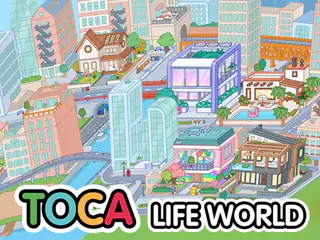 Toca Boca Games: Toca Life World
 The Mergest Kingdom
 Virtual Families Cook Off (Familias Virtuales)
 Avatar World Secrets: an Avatar World-Style Game
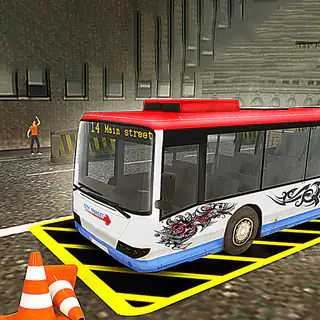 Bus Parking Simulator: a Bus Parking Game
 Virtual Drums: Play the Drums Online
 Traffic Jam 3D: Drive Through the Traffic Jam
 3D House Building Games: Free Block Building
 Flying Motorcycle: 3D Motorbike Flight Simulator
 Ships 3D: multiplayer ship simulator
 Grindcraft: free online incremental crafting
 NEW Classic Bowling Game: roll the ball and knock down pins
 NEW 3D Car Simulator: drive 3 cars across 3 maps in 3D
 NEW Pou: feed, dress and play with your pet
 Foot Nail Care: Foot Doctor Game
 Parrot Simulator: Fly Like a Bird in 3D