

 Español
 한국어
 Русский
 हिन्दी
 Português
 Türkçe
 Tiếng Việt
 Italiano
 Français
 日本語

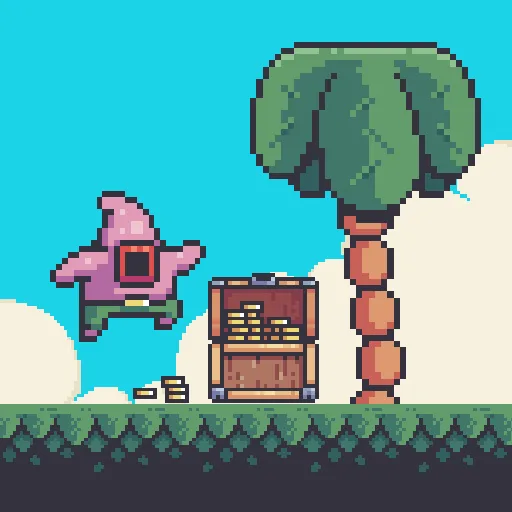
Ringo Starfish: a retro pixel platformer full of crystals
About Ringo Starfish
Ringo Starfish is a pixel art platformer and adventure game where you guide a starfish explorer across a mysterious island. In every level your goal is to collect all the crystals while defeating enemies and avoiding traps.
While sailing through deep water, Ringo found an island he suspects is hiding treasure. The game mixes retro pixel charm with three key abilities: firepower, swimming and an invincibility power that can save you from tight spots. Every level also has checkpoints, so a mistake does not send you all the way back to the start. It is a great pick for anyone who enjoys classic run, jump and shoot platformers, and it runs right in your browser with no download or sign-up.
It is built for keyboard play on PC. The mix of precise jumps, shooting and exploration gives it a brisk pace: you move forward, discover new corners and go back for the crystals you missed. If you like retro platformers with a sea-adventure flavor, Ringo Starfish is a comfortable choice for a short break or a long session.
How to play Ringo Starfish?
In Ringo Starfish you move across each area of the island, jumping between platforms, taking down enemies and gathering crystals. To finish a level you must collect every crystal scattered across the territory.
- Click with the mouse to start the game.
- Move Ringo through the level and jump over platforms and obstacles.
- Shoot enemies with Ringo's firepower or avoid them carefully.
- Collect all the crystals and use the checkpoints when you find them.
- Use swimming and invincibility to get through the most dangerous areas.
Ringo Starfish controls
PC
- Move: left and right arrow keys or A and D.
- Jump: W or up arrow.
- Fire: X or J key.
- Start: mouse click.
Tips and tricks: Ringo Starfish
- Take your time collecting crystals: you need all of them to finish a level, so explore side areas before moving on.
- Activate checkpoints as soon as you see them to avoid replaying hard sections.
- Shoot enemies from a distance instead of getting close.
- Save the invincibility power for sections packed with traps.
- When there is water, use Ringo's swimming to reach crystals you cannot see from land.
- If a section is hard, retry it from the last checkpoint and watch the enemy patterns.
Ringo Starfish FAQ
What do you need to do to clear a level in Ringo Starfish?
You have to collect every crystal scattered across the level while defeating or avoiding enemies and traps.
What abilities does Ringo have?
Ringo can shoot with his firepower, swim, and use an invincibility power to get past obstacles.
Is Ringo Starfish free to play?
Yes, you can play it free in your browser with no download or registration. It is designed for keyboard play on PC.
Additional information: Ringo Starfish
Game type: Pixel art platformer and adventure
Technology: HTML5
Platform: Web browser (PC)
Enjoyed Ringo Starfish? Also try Sonic with a Gun, Geometry Dash or Prince of Persia. Find more Platform Games and hundreds of free games on LudoRex.
🏷 Platform Games, Adventure Games, Retro Games
Last update:
Games like Ringo Starfish
View all › Geometry Dash
 Prince of Persia
 Sonic with a Gun
 Fireboy and Watergirl 6: Fairy Tales
 The Impossible Game: put your reflexes to the test
 NEW Vex 3: jump, run and slide past deadly obstacles
 Short Life: a platformer about reaching the goal in one piece
 Rodha: a platformer with 60 levels and 9 characters
 Roller Ball X Bounce Ball: the bouncing red ball
 Money Movers 3: The Guard and His Dog vs. the Prisoners
 Vex 7: Online Parkour and Stickman Game
 Vex 5: Parkour and Skill Platformer
 Kofi Adventure: Online Platformer and Adventure Game
 Geometry Jump: Jump and Dodge the Spikes
 Panda Love: Online Platformer Game
 Super Mario Land
 Bloxd.io
 Momo Horror Game