

 Español
 한국어
 Русский
 हिन्दी
 Português
 Türkçe
 Tiếng Việt
 Italiano
 Français
 日本語

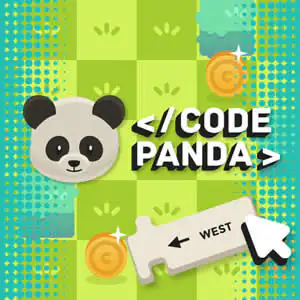
Code Panda: Learn to Code with Blocks
About Code Panda
Code Panda is a block-based coding in which a hungry panda only moves if you give it the right instructions. Your goal is to build a short sequence of commands to get it to the bamboo. It's a simple, visual way to introduce computational thinking at home or in class, without writing a single line of code. If you like this kind of challenge, you'll find more in our coding games for kids.
The first levels only ask you to move in the four directions, but little by little real concepts appear: loops, which repeat a command several times, and a jump block where you choose how many squares the panda moves forward. This way, Code Panda becomes a very natural first contact with the logic of any programming language.
How do you play Code Panda?
Each level shows a grid board, the panda and the bamboo. Below you'll find the available blocks. First you plan the route, then you run the program to see if it works.
- Look at the board and count the squares between the panda and the bamboo.
- Drag the movement blocks into the program area in the right order.
- Press the Play button so the panda carries out the instructions.
- If it doesn't get there, check the sequence, fix the block that's wrong and try again.
Code Panda controls
PC
- Mouse (drag): place and arrange the instruction blocks
- Click Play: run the program
Mobile and tablet
- Drag with your finger: move the blocks
- Tap Play: set the panda in motion
What do you learn in Code Panda?
- Sequencing: understanding that the order of instructions changes the result.
- Loops: save blocks by repeating the same action.
- Parameters: set the number of squares for the jump, a first idea of a variable.
- Debugging: find the mistake and fix it without starting from scratch.
- Spatial orientation and, along the way, directions in English (the blocks use words like WEST).
Recommended for ages 6 and up; younger kids enjoy it playing alongside an adult.
Tips for playing better: Code Panda
- Before dragging anything, trace the route with your finger on the screen and count the squares out loud.
- When you see several identical steps in a row, replace them with a loop: the program becomes shorter and clearer.
- Use the jump only when there's an obstacle, and double-check the number of squares you set.
- If the panda goes wrong, notice which square it stops on: that's where the block you need to change is.
Code Panda FAQ
Is Code Panda good for learning to code from scratch?
Yes. You don't need to know how to read code: everything is done with visual blocks, just like the tools used in primary school to get started with coding and robotics.
Can I use the Code Panda game in class?
It makes a great classroom activity: you can project it and solve the levels as a group, asking students to predict what the panda will do before pressing Play.
Does Code Panda work on tablets?
Yes, it works in the browser on computers, tablets and phones, with no downloads or sign-up.
Additional information: Code Panda
Game type: Educational block-based coding
Recommended age: From age 6
Technology: HTML5
Platform: Web browser (PC, tablet and mobile)
Enjoyed Code Panda? Also try Happy Color, Multiplication Duck or UNO Online (2-4 Players). Find more Educational Games and hundreds of free games online on LudoRex.
🏷 Educational Games, Educational Games for Kids Aged 6 to 7, Educational Games for Kids Aged 7 to 8, Educational Games for Kids
Last update:
Games like Code Panda
View all › Multiplication Duck
 PACMAN Multiplication Tables
 UNO Online (2-4 Players)
 Physical Map of Spain: Interactive Relief
 Tangram Online: Geometric Shapes Puzzle
 Happy Color: Paint by Number Game Online
 Handwriting Exercises Online: Letters and Numbers
 Oxytone, Paroxytone, and Proparoxytone Words: Sort Them
 Map of the Autonomous Communities of Spain: game
 Morse Code: Crack the Secret Word
 Dinosaurs to Color Online: paint and save
 Pixel Art: Copy Pixelated Drawings on Your Grid
 Greater or Less: A Game to Compare Quantities
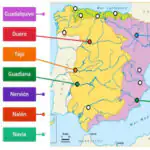 Map of the Rivers of Spain: interactive game
 Game of the Goose Online: The Classic Board Game
 Fish Coloring Pages Online: Paint the Ocean Floor
 Multiples of 4: 4 Times Table Game in Reverse
 3D Geometric Shapes: Shape Change Race